Built for Professional Delivery
Purpose-built viewers and tools that make your drone data more valuable and your delivery process more efficient.
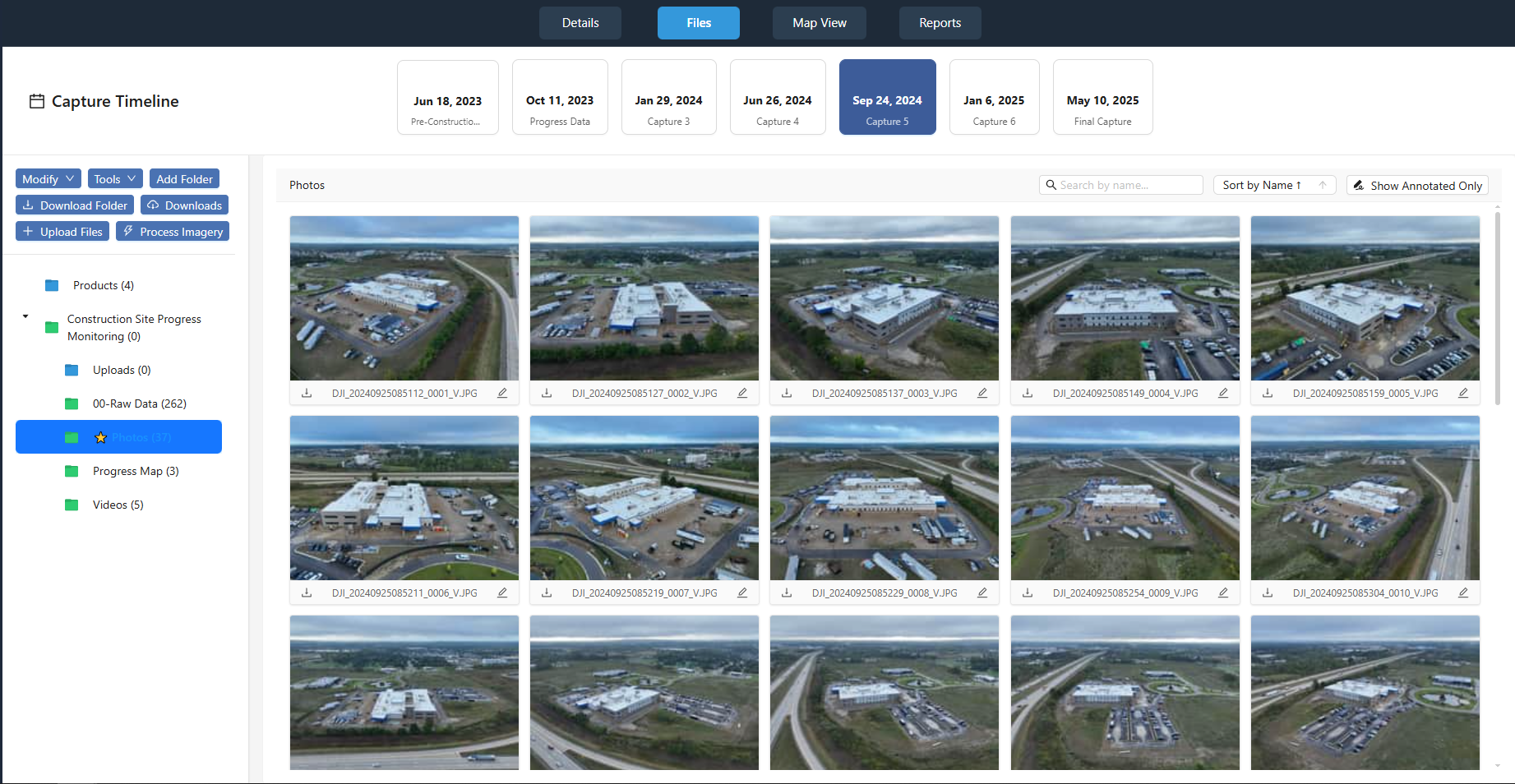
Example job showing multiple captures organized by flight date.
Capture-Based Job Organization
Each job is structured into individual captures, with every flight you make organized by date. This keeps photos, videos, panoramas, and processed outputs cleanly separated and easy to manage as jobs grow.
Date-Based Organization
Every flight is organized by capture date, making it easy to track progress over time and compare different flight sessions.
All File Types
Photos, videos, maps, and processed outputs are cleanly organized within each capture, keeping your job structure clear and manageable.
Image Processing
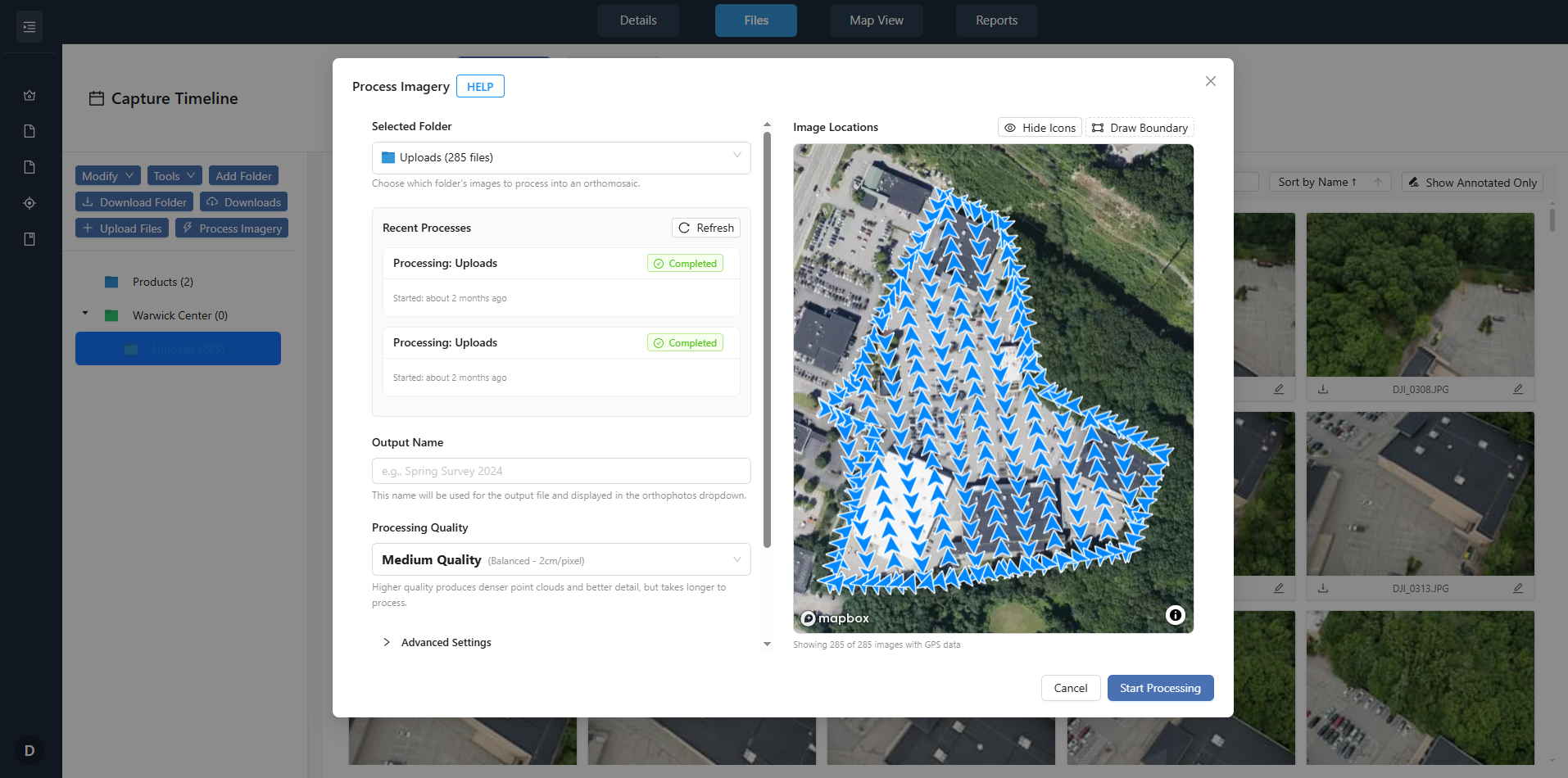
Generate orthomosaics and point clouds from your raw drone imagery without leaving the platform. Upload photos from a flight, run the built-in processing pipeline, and deliver georeferenced outputs to your clients—no separate photogrammetry software required.
Orthomosaics & Point Clouds
Process raw imagery into 2D orthomosaics and 3D point clouds. Outputs are georeferenced and ready to view on the map or share with clients.
In-Platform Workflow
Keep capture, processing, and delivery in one place. Processed outputs appear in the same job and capture structure for seamless client delivery.
Stockpile Measurement & Tracking
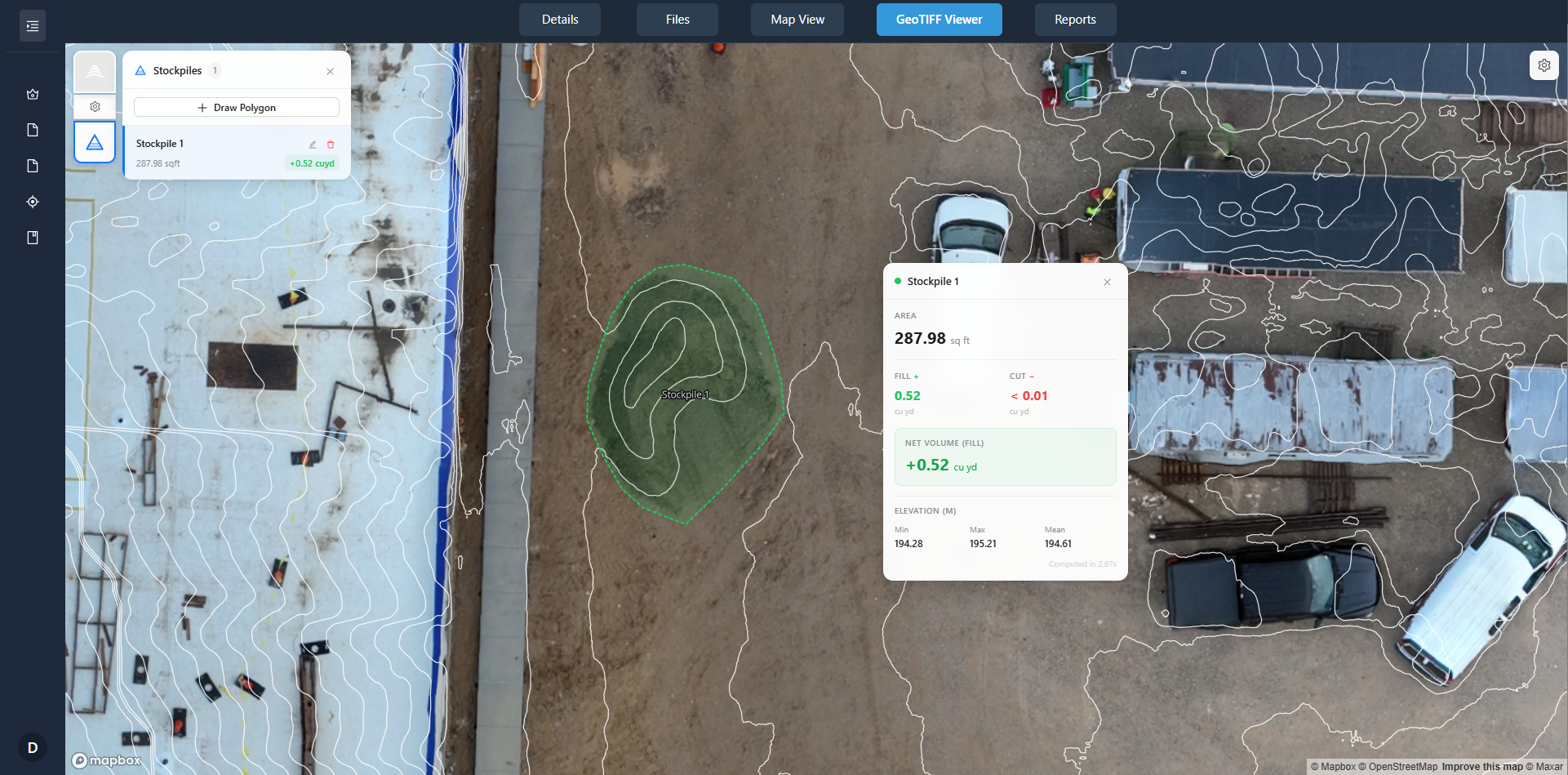
Measure and track stockpile volumes from your aerial data. Capture sites over time, process orthomosaics or point clouds, and report volumes for aggregates, mining, or inventory—all within the same platform you use for client delivery.
Volume from Aerial Data
Use orthomosaics or point clouds to define stockpile boundaries and calculate volumes. Ideal for quarries, construction materials, and bulk inventory.
Time-Series & Reporting
Add recurring captures to the same job and compare stockpile changes over time. Share results with clients through the same portal you use for imagery.
Map-Based Viewer
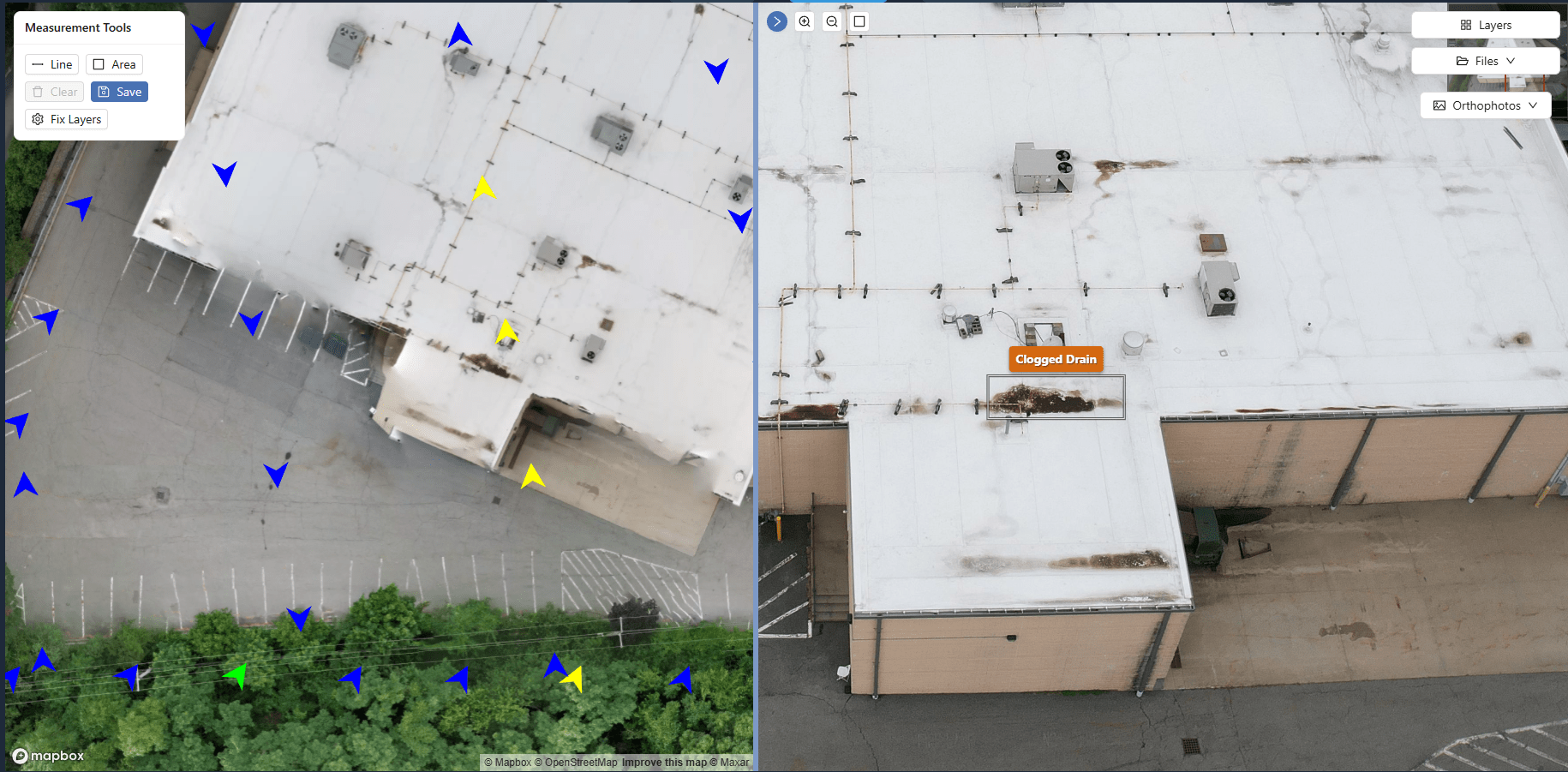
Clients view orthomosaics and site imagery on an interactive map. Click any image to view full-screen, add annotations, and explore the data - all without leaving the portal.
Map-Based Browsing
Orthomosaics display on a map using embedded geospatial data. Navigate by location, not file names. Organize by property, site, and date.
Image Annotations
Mark issues, add notes, and create condition reports directly on imagery.
Time-Based Comparison
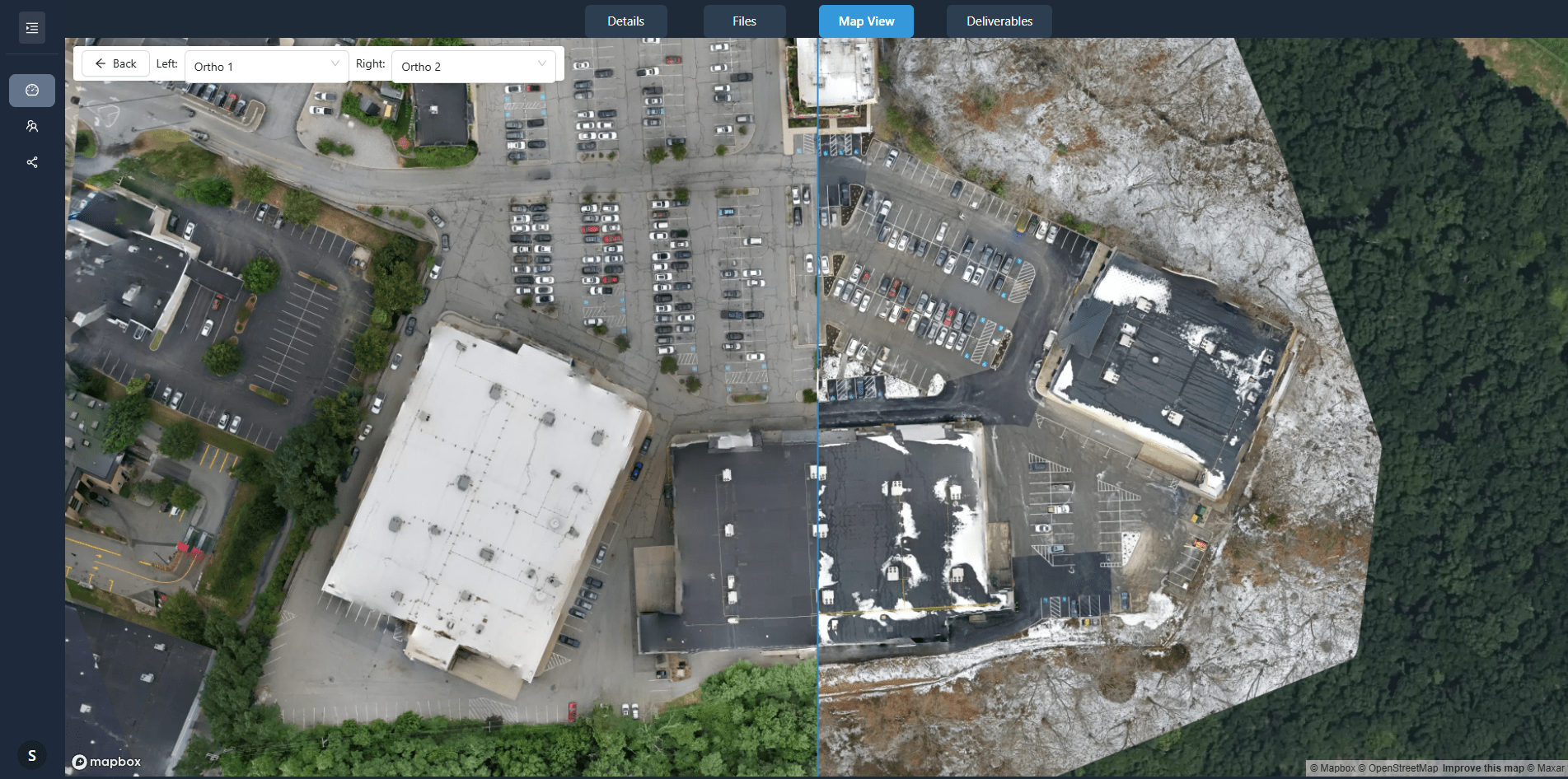
For recurring jobs, compare any two capture dates side-by-side. Synchronized views show construction progress, site changes, or maintenance issues - valuable for construction monitoring and property management.
Side-by-Side Comparison
Clients select two dates from the capture timeline. Orthomosaics display synchronized
Recurring Capture Support
Add new captures to existing jobs. Each capture is date-stamped and organized chronologically - no manual file management required.
Progress Documentation
Clients document progress over time without downloading files or managing versions. All captures are accessible in one portal.
Measurement Tools
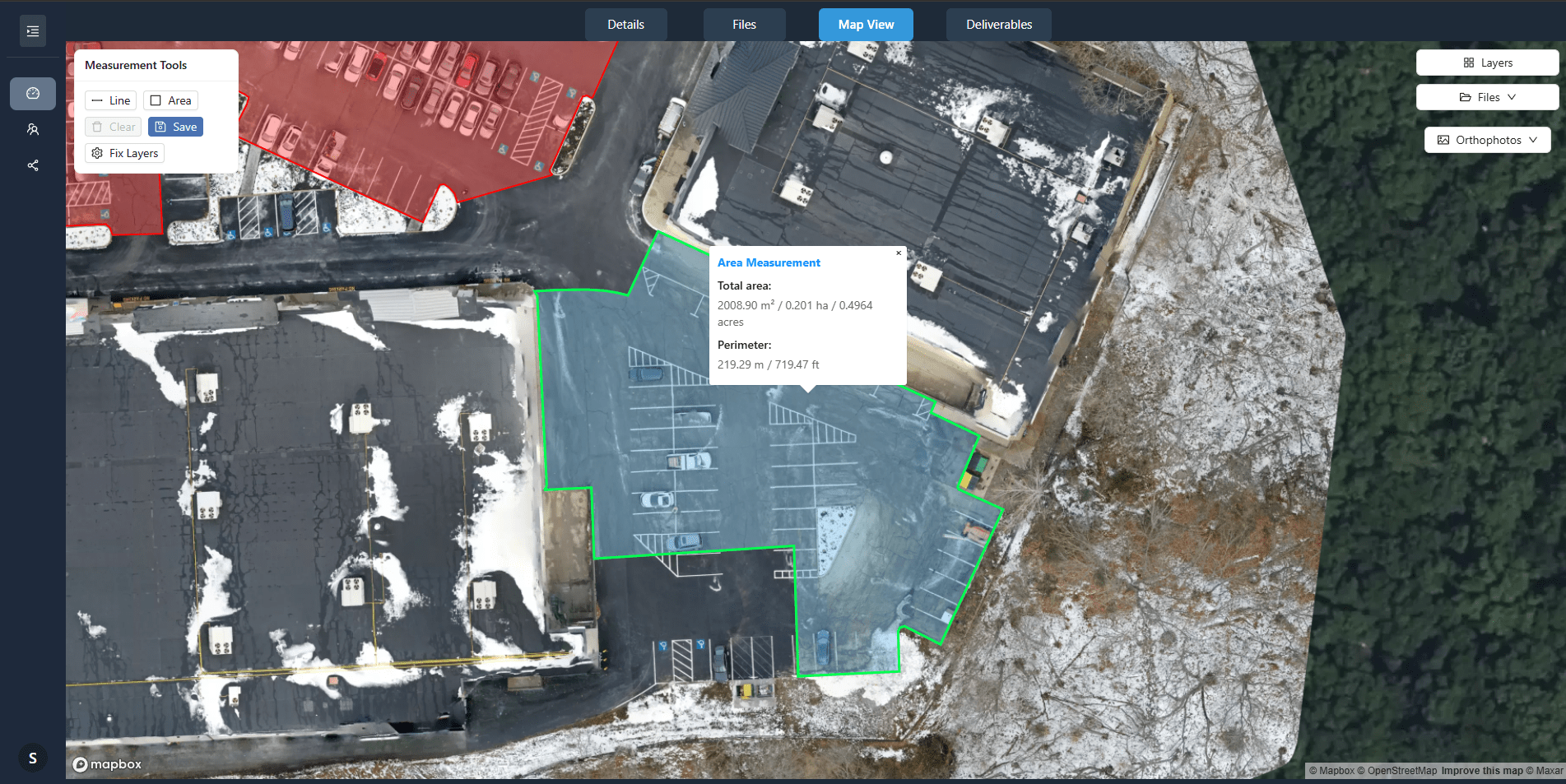
Measure areas and distances directly on orthomosaics. Measurements use geospatial data from your imagery for accurate calculations - useful for roof measurements, site planning, and area assessments.
Area Measurements
Clients draw polygons on orthomosaics to calculate square footage. Results include area, perimeter, and coordinates - exportable for quotes and planning.
Multiple Measurement Layers
Create separate measurement layers for different purposes (roof areas, parking, landscaping). Each layer can be toggled on/off and exported independently.
Measurement Export
Clients export measurements as CSV or include them in interactive deliverables. Coordinates and dimensions are preserved for use in other software.