Book in DroneCRM. Process and Deliver in DataDelivery.
Connect your DroneCRM account to DataDelivery. Jobs you book in DroneCRM can create the matching DataDelivery job and send the photos straight in, and the client delivery link comes back to DroneCRM.
Free plan, no credit card required.
How does the DroneCRM integration work?
DroneCRM users can connect their DataDelivery account by signing in from DroneCRM or by pasting an API key, and revoke it any time. Jobs booked in DroneCRM can create the matching DataDelivery job and send the photos straight in.
The connection is optional. DroneCRM works on its own, and you connect DataDelivery from DroneCRM's settings. Together they give you a drone CRM with a client portal: book the job in DroneCRM, then deliver it to your client from DataDelivery.
Integration details checked on .
Who does the work
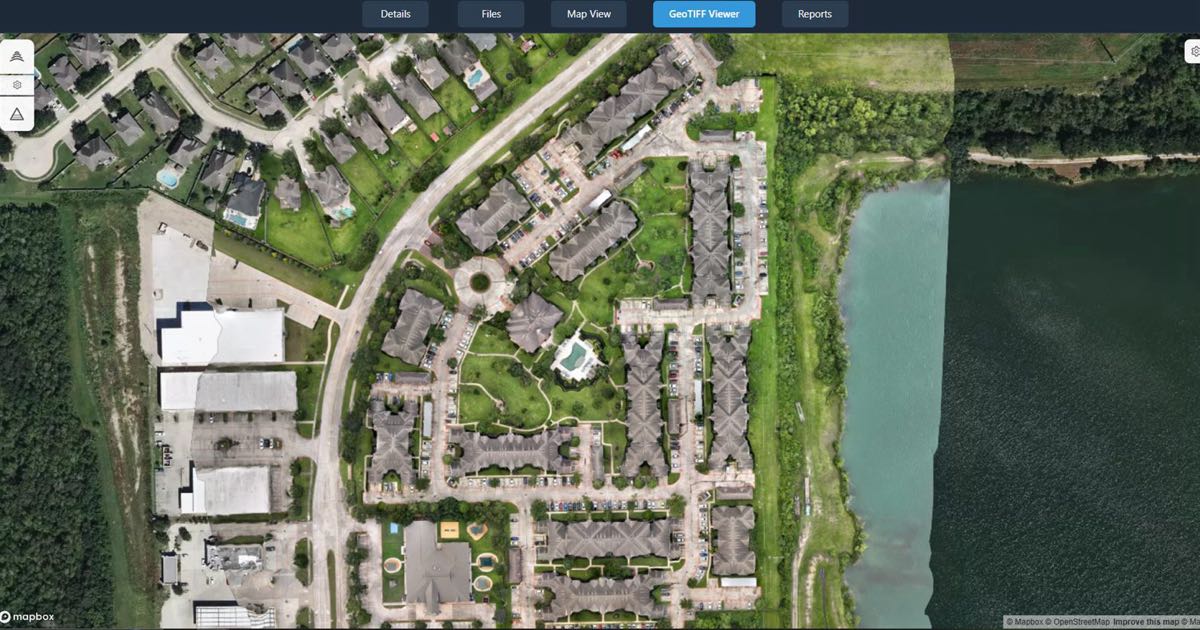
National Drone Services does the processing. DroneCRM sends the job's photos to National Drone Services, into the matching DataDelivery job. You start the run, and NDS Processing turns the photos into an orthomosaic (a stitched map) and a 3D point cloud. DroneCRM gets status updates and the client delivery link back.
You fly the job and you work with your client. Any annotations, measurements and reports are yours to make: National Drone Services does not mark up your photos or write reports for you.
From booking to delivery
1. Book the job in DroneCRM
The connection can create the matching DataDelivery job for you.
2. Send the photos
DroneCRM sends the job's photos straight into that DataDelivery job.
3. Process and deliver
Start an NDS Processing run. DroneCRM gets status updates, then the client delivery link.
What you can do in each app
Inside DroneCRM
- Browse, upload and organize the job's files.
- Annotate and measure.
- Download files.
- Start processing.
In DataDelivery
- Sharing with clients: invite a client by email, or send a no-login link, including on the Free plan.
- Job settings.
- Imports of finished maps and point clouds from other software.
- Reports.
- Map layers.
Where the delivery link points
The client delivery link that DroneCRM gets is on the DataDelivery app domain. That stays true even if you have set up your own domain for other DataDelivery links.
For other ways to hand over maps, photos and point clouds, read how to deliver drone data to clients.
Frequently asked questions
Do I need DataDelivery to use DroneCRM?
No. DroneCRM works on its own. The DataDelivery connection is optional, and you connect it from DroneCRM's settings.
Is DroneCRM part of National Drone Services?
No. DroneCRM and National Drone Services are separate companies. The DataDelivery connection is a partner integration.
How do I connect DroneCRM to DataDelivery?
Sign in to your DataDelivery account from DroneCRM, or paste a DataDelivery API key. You can revoke the connection any time.
Who processes the photos that DroneCRM sends?
National Drone Services. The photos go into the matching DataDelivery job, you start the run, and NDS Processing turns them into an orthomosaic and a 3D point cloud.
Can I share a job or build a report from inside DroneCRM?
No. Sharing, job settings, imports, reports and map layers stay in DataDelivery. Inside DroneCRM you can browse, upload, organize, annotate, measure, download and start processing.
Does the delivery link use my own domain?
No. The client delivery link that DroneCRM gets is on the DataDelivery app domain, even if you have set up your own domain for other DataDelivery links.
What does DroneCRM cost?
DroneCRM has its own plans and prices. See DroneCRM's pricing page for current details.
Related
Try DataDelivery on the Free plan
Free plan, no credit card required.
DroneCRM is its own product, with its own plans and prices.