Share Point Clouds with Your Clients in a Browser
Drone point clouds are powerful — and notoriously hard to hand off. DataDelivery by National Drone Services lets your customers open a 3D point cloud in a browser, orbit and measure it, and never touch specialist desktop software.
Free plan — no credit card required. Your client only needs the link.
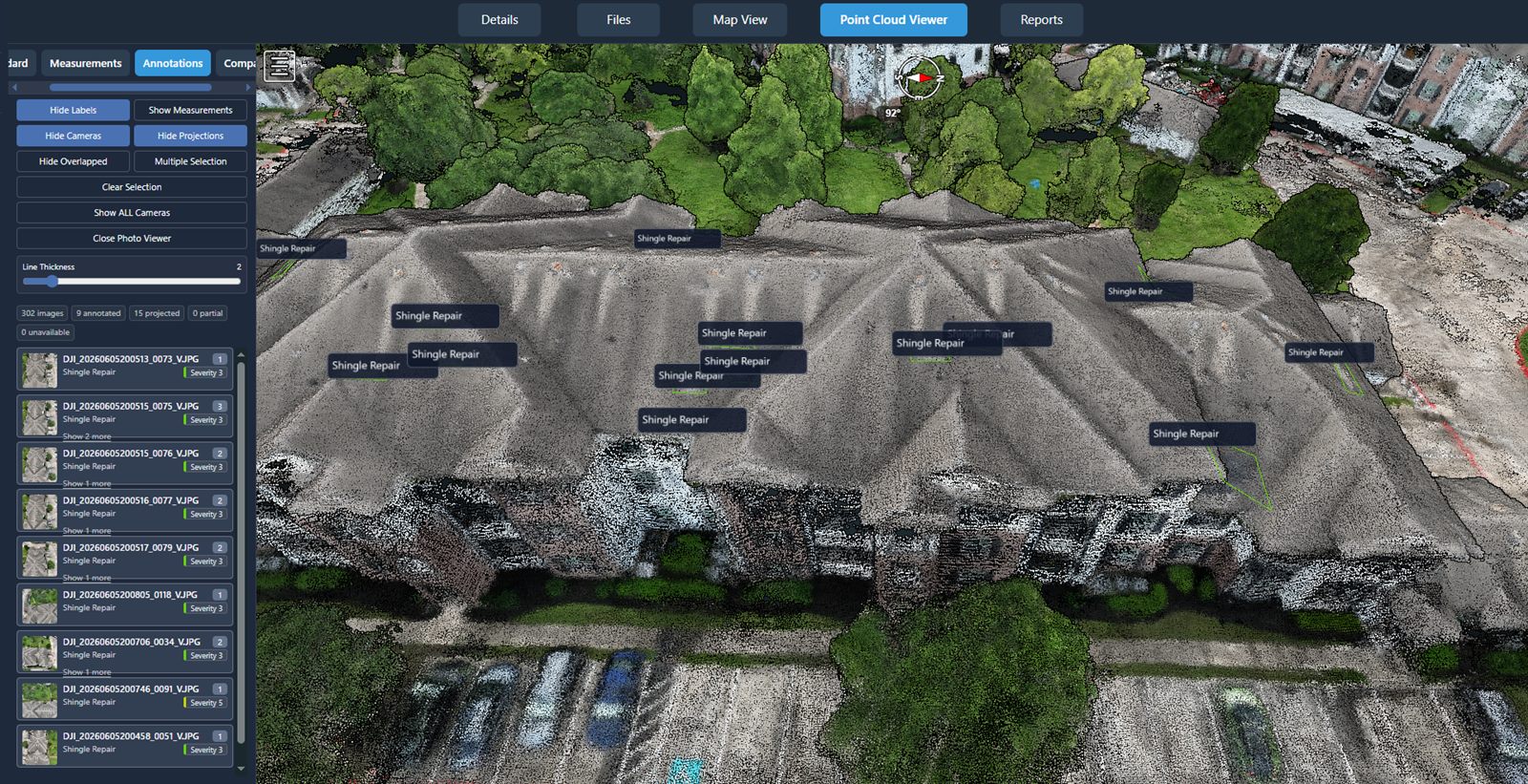
What is a point cloud?
A point cloud is a dense set of three-dimensional points, each with a position in space and a color. The points are reconstructed from overlapping drone photos: the more the images overlap, the more accurately the geometry of the site can be rebuilt. The result is a detailed 3D representation of buildings, terrain, stockpiles, and structures captured during the flight.
Taken together, those millions of points form a navigable 3D model of a site. Instead of looking at a flat photo, your client can orbit around the scene, zoom into detail, and view the project from any angle — the kind of spatial understanding a 2D image alone cannot give.
Why point clouds are hard to deliver
A point cloud is one of the most impressive things a drone can produce — and one of the most frustrating to hand to a client.
The files are large
Point clouds contain millions of points, so the raw files are big — awkward to email and quick to bump into storage and attachment limits.
Raw files need specialist software
Standard point-cloud files such as LAS and LAZ are designed to be opened in specialist desktop applications that most clients do not have.
Clients can't open them
Send a client a raw point-cloud file and there is a good chance they simply cannot open it — so the deliverable they paid for sits unused.
Storage & transfer limits get in the way
Emailing large files rarely works, and a generic cloud folder turns a rich 3D dataset into a single download a client cannot preview.
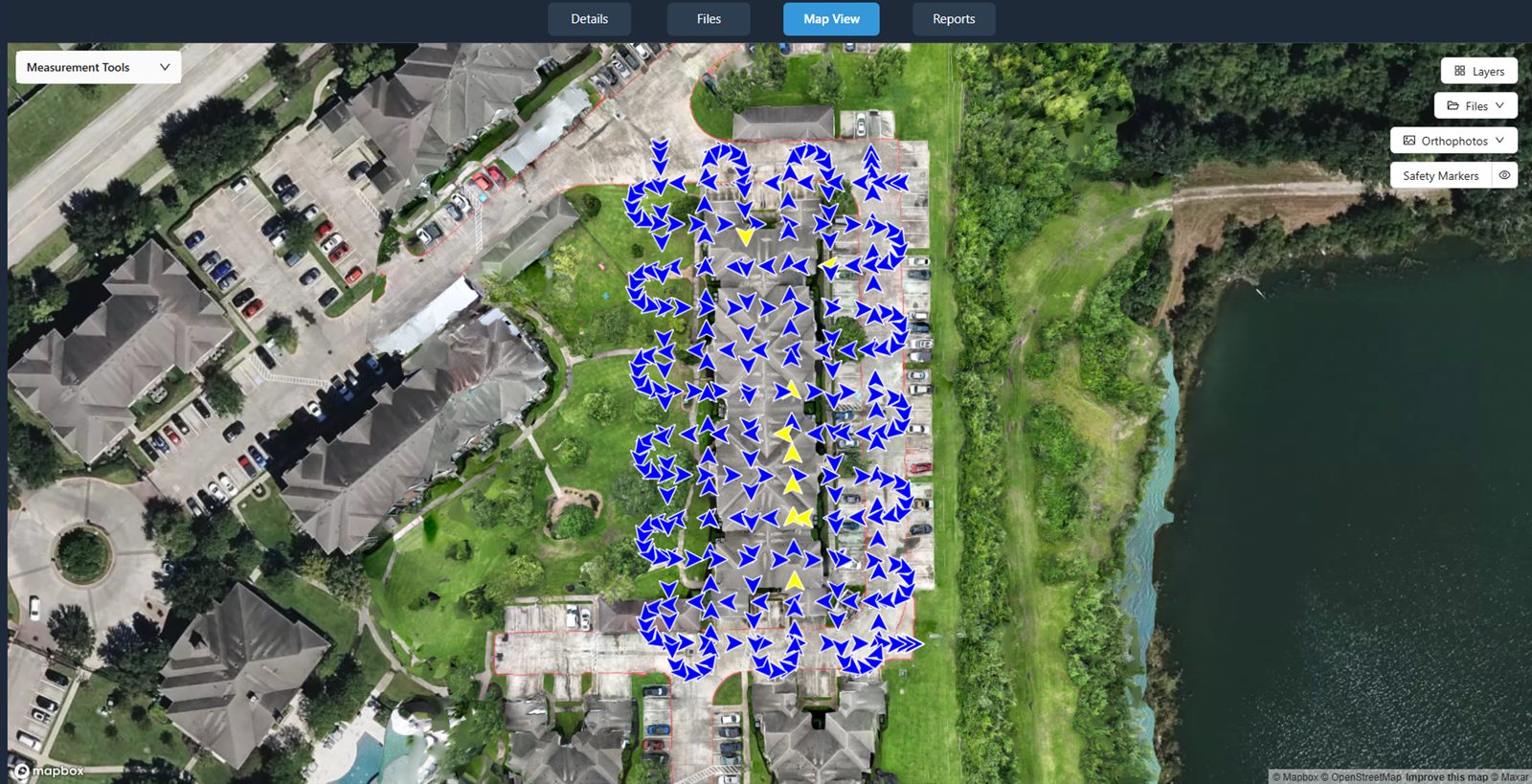
Explore point clouds in the browser
With DataDelivery, the point cloud opens directly in a browser. There is nothing to install and no account to create — your client clicks your link and starts moving through the 3D model.
- Navigate, orbit, and zoom through the 3D scene from any angle.
- View the site spatially instead of as a flat photo.
- Take measurements directly on the point cloud.
- Nothing to install — it runs in any modern browser.
Outputs are intended for visualization and review. Measurements are approximate and are not a substitute for a licensed surveyor.
Supported point-cloud data
Two ways to get a point cloud into a project your client can open in the browser.
Generated from your imagery
Point clouds are generated in-platform from your drone imagery — produced alongside the 2D orthomosaic from the same set of photos. No external processing step to manage.
Import LAS / LAZ files
Already have a point cloud? Standard point-cloud files in LAS or LAZ format can be imported, so existing deliverables drop into the same browser-based viewer.
Where a browser point cloud helps
A shared 3D view makes visualization and handoff easier across the projects drone service providers deliver.
Engineering support
Give engineering teams a 3D view of the as-captured site to visualize and discuss — a handoff aid, not a certified survey deliverable.
Construction
Share point clouds of a site so owners and contractors can review progress and conditions in 3D in the browser.
Inspection work
Let your clients orbit a structure and look at it from angles a single photo cannot show, without specialist software.
Surveying support
Hand off a navigable 3D point cloud to support visualization and review alongside your survey workflow. Measurements are approximate and are not a substitute for a licensed surveyor.
Download vs. browser viewing
Clients don't have to choose, and you stay in control of what's available.
| What the client wants | In the browser | As a download |
|---|---|---|
| Understand the site quickly | Orbit and zoom the 3D model — nothing to install. | Not required to view. |
| Take quick measurements | Measure directly on the point cloud in the viewer. | Use your own desktop tools if preferred. |
| Keep the raw file | View first, decide later. | Download the file you provide, where you allow it. |
| Access control | Share a link, control access, revoke anytime. | No-login links are view-only by default; invited clients you add to a job can download the files you allow. You decide per link whether point clouds are included, and they start switched off. |
You decide whether each invited client can view only or also download the point-cloud file you upload. No-login links are view-only by default, and you can revoke a link at any time.
From flight to browser point cloud in six steps
The same workflow whether you process imagery in-platform or import an existing file.
-
1
Capture the site
Fly the project and collect overlapping imagery of the area you want to reconstruct in 3D.
-
2
Process into a point cloud
Process the imagery into a 3D point cloud in-platform — output alongside the orthomosaic — or import an existing LAS / LAZ file. Check an existing file first in the free LAS viewer.
-
3
Review in the browser viewer
Open the point cloud in the browser, navigate the 3D model, and confirm the deliverable before you share it.
-
4
Configure client access
Apply your branding and choose what each client can do — view only, or view and download.
-
5
Share the link
Send one URL. No login, no install — the client opens the point cloud in a browser.
-
6
Allow downloads for invited clients
When it's time, let invited clients you add to the job download the point-cloud file you provide. No-login links are view-only by default, and you can remove access whenever you need to.
See a real client portal
Open a live, no-login portal — the same experience your clients get. Every interface shown on this page is the actual platform.
Frequently asked questions
What is a point cloud?
A point cloud is a dense set of three-dimensional points reconstructed from overlapping drone photos. Each point has a position in space and a color, and together they form a navigable 3D model of a site that you can orbit, zoom, and explore.
Do my clients need desktop software to view it?
No. With DataDelivery, point clouds are viewable directly in a browser. Your client opens a shareable link, navigates and measures the 3D model with nothing to install, and never needs specialist desktop software.
What point-cloud formats are supported?
DataDelivery generates a 3D point cloud in-platform from your drone imagery, output alongside the 2D orthomosaic. You can also import standard point-cloud files in LAS or LAZ format.
Can clients measure in the point cloud?
Yes. In the browser viewer, clients can navigate the 3D model and take measurements directly on the point cloud. Measurements are approximate and are not a substitute for a licensed surveyor.
Can clients download the point-cloud file?
You control access. Clients can explore the point cloud in the browser. Invited clients you add to a job can download the point-cloud file you provide, where you allow it. No-login links are view-only by default, and you can revoke a link at any time.
Keep exploring DataDelivery
Share orthomosaics with clients
Deliver georeferenced 2D maps clients can view and measure in the browser.
Drone client portal
Give every customer one branded, no-login place to view the whole project.
Reports
Turn project data into client-ready reports and shareable portal views.
Integrations
Bring finished maps and point clouds from your mapping software.
Deliver your next point cloud in the browser
Start free, process a point cloud, and send a branded, no-login link your client can actually open.
Free plan — no credit card required.